Writer Shredder Security: Quiet Picks For Home Offices
By Priya Nair • 21st May
If you write for a living, writer shredder security and calm, quiet workspaces go hand in hand. Whether you're discarding early drafts, story notes, or sensitive leads, journalist document destruction and everyday home office shredding need to be safe, boring, and reliable (not a source of stress or noise complaints).
This guide walks you through:
- How to match your real risk to the right DIN security level
- What "quiet" actually means in decibels for home office shredders
- The shredder types I recommend for writers, freelancers, and journalists
- When to step up to higher security for source protection shredding
- Simple routines so paper destruction just... happens, without drama
Match the document risk to the shred, not the hype.
1. Start With Risk, Not Marketing: What Are You Actually Shredding?
Before you look at any machine, list what you put in the bin. For most writers and small offices, the real mix looks like this:
- Low-risk admin
- Printouts of articles already online
- Drafts with no personal identifiers
- Printer misfeeds, to-do lists, shopping lists
- Personal and client details
- Bank or credit card statements
- Client invoices with addresses
- Contracts, NDAs, HR paperwork
- Regulated or sensitive business data
- Health-related info (HIPAA contexts)
- Financial account data (GLBA-adjacent)
- Legal case notes, personnel files
- High-risk journalism and source material
- Notes with source names or identifying hints
- Call logs, travel records, hotel receipts
- Printed memos, leaked docs, research material
You don't need the same shredder for all four categories, but you do need a clear rule for what goes where.
Security without theater means mapping each pile of paper to a shred level and sticking to it.
Quick DIN 66399 Primer (Paper Cut Levels)
The DIN 66399 standard categorizes how small the pieces must be after shredding. For paper (the "P" levels):
- P-2 (strip-cut) - Long strips. Better than nothing but usually too weak for modern privacy needs.
- P-3 (cross-cut) - Small confetti-like pieces. Generally fine for low-risk admin, but not ideal for sensitive data.
- P-4 (micro-cut) - Much smaller particles. Strong protection for personal data, business files, and most confidential note security.
- P-5 (high-security micro-cut) - Tiny particles. Used where data reconstruction must be extremely difficult (e.g., source identities, high-sensitivity work).
- P-6/P-7 - Specialized security levels, usually overkill and expensive for home offices.
For most home offices and small firms, P-4 is the sweet spot. P-5 is worth it only when the document risk is truly high.
2. Mapping Your Risk to DIN Levels (Plain-Language)
Here's how I map common writer and journalist scenarios to DIN levels. This isn't legal advice, just practical risk mapping based on how auditors typically look at document destruction.
Category A - Everyday Writer & Household Papers
Examples:
- Draft articles and blog posts with no sensitive data
- Printer test pages, draft outlines
- Old notebooks with general ideas
Recommended:
- Minimum: P-3 cross-cut
- Ideal: P-4 micro-cut if you're buying new
Why: You're mainly protecting against casual snooping or dumpster divers, not motivated targeted reconstruction.
Category B - Personal Data & Small Client Work
Examples:
- Bank and credit card statements
- Client invoices, project scopes with contact details
- Contracts and NDAs
- Tax documents and bookkeeping printouts
Recommended:
- Baseline: P-4 micro-cut
- P-3 is borderline here; I don't recommend it if you're handling repeat client data.
Why: Identity theft risk is real. P-4 lines up with the kind of protection regulators typically expect for routine personal data in small offices.
Category C - Regulated or Sensitive Professional Data
Examples:
- Clinical notes, intake forms, or anything health-related
- Financial advisory files, loan applications
- HR records, employee performance notes, salary or benefit details
Recommended:
- Minimum: Strong P-4 micro-cut
- Consider P-5 only if you're handling larger volumes of highly sensitive material.
Why: Here you're in the territory where regulators and professional bodies care. You need a clear policy, a dependable shredder, and a consistent routine.
Category D - Investigative Journalism & Source Protection Shredding
Examples:
- Notebooks with source names, phone numbers, or unique descriptors
- Travel itineraries tied to confidential meetings
- Printed leaks, internal memos, whistleblower material
- Story drafts containing sensitive allegations or unreleased documents
Recommended:
- Baseline: P-5 high-security micro-cut for anything that can identify or seriously harm a source
- P-4 is okay for non-sensitive story drafts, but not for source identifiers.
Why: If someone is willing to dig through trash to expose a source, they're motivated. That's when you justify P-5, even at home. For vetted options, see our top P-5 micro-cut shredders for truly sensitive home documents.
Match the document risk to the shred, not the hype.
Once you make that decision, write it down as a simple table and keep it near your shredder. That one sheet can make an audit, or a hard question from an editor, very boring in a good way.
3. How Quiet Is "Quiet" for Home Office Shredders?
Manufacturers love the word "quiet," but rarely agree on numbers. For lab-measured noise data, see our quiet shredder decibel comparison. Here's how I translate noise specs into real-world expectations.
- 50-55 dB - Library-level, soft conversation. Rare for shredders, but some high-end "ultra-quiet" units get close.
- 56-60 dB - Normal conversation. This is what I'd call genuinely quiet for a shredder.
- 61-65 dB - Box fan or office AC. Noticeable, but okay for daytime in most apartments.
- 66-70+ dB - Vacuum cleaner territory. Your partner, roommate, or neighbor will notice.
In practice, many "quiet" units land in the 58-62 dB range when shredding a few sheets. The catch: sheet capacity claims (e.g., "shreds 12 sheets") are at the edge of the machine's comfort zone, and they're noisier there.
If quiet matters, look for:
- A stated noise level around 60 dB or below
- Real-world reviews mentioning nighttime or baby-friendly use
- Auto start/stop so the motor isn't idling loud between sheets
For nighttime shredding in a small apartment, I'd rather see a slightly smaller, quieter P-4 micro-cut than a huge "office" model that sounds like a shop vac.
4. Specs That Actually Matter (And Those That Don't)
Manufacturers throw a lot at the box. Here's what I focus on for writer shredder security in a home or small office.
4.1 Cut Type and DIN Level
Non-negotiable:
- P-4 micro-cut for most writers, consultants, and small offices
- P-5 for regular journalism source protection shredding or very sensitive client work
I like to see the DIN level spelled out in the manual (e.g., "Security level: DIN P-4"). If it only says "micro-cut" without a level, I treat that as a red flag. If you're unsure which level fits your setup, start with our shredder security levels guide for quiet offices.
4.2 Sheet Capacity (Realistic, Not Marketing)
Ignore the most optimistic number on the box. Instead:
- Take the advertised capacity and subtract 25-30%. That's the number you should live with day to day.
- If a machine promises 10 sheets, expect comfortable use at 7-8 sheets.
For typical writer/home office use:
- 8-10 sheet rated capacity (realistically 6-7) is enough for bills, drafts, and light envelopes.
- 12-15 sheet rated capacity helps if you shred thicker packets or multi-page contracts.
4.3 Run Time and Duty Cycle
Run time is how long the shredder can operate before it needs a cool-down.
For home offices, pay attention to:
- At least 5 minutes continuous run time if you shred weekly in short bursts
- 10+ minutes if you catch up monthly or purge large piles
Then check cool-down time:
- 20-30 minutes cool-down is common.
- If a model needs 40+ minutes after 5 minutes of use, it'll stall your decluttering.
A practical rule: If you tend to shred in one 10-15 minute batch per week, you want a machine whose stated run time is close to that (or plan to feed fewer sheets steadily, not in thick stacks).
4.4 Bin Size and Mess
Small bins fill fast and make more mess.
- For solo writers in small spaces: 4-5 gallon bin is workable if you shred weekly.
- For couples or shared home offices: 5-7 gallons saves you from constant emptying.
Look for:
- Pull-out bins instead of lift-off heads (less confetti on the floor)
- Clear window so you can see when it's full
- Option to use recyclable bags if you want tidier disposal
4.5 Jam Resistance & Auto-Reverse
You don't want to wrestle with half-chewed documents.
Essential features:
- Auto-reverse when overloaded
- Overload indicator (icon or light)
- A dedicated reverse switch for stubborn jams
Tip: Feed mail lengthwise and remove thick paper clips. Staples are usually fine in decent machines.
4.6 Safety Features (Kids, Pets, Scarves)
At home, safety is non-negotiable:
- Safety lock or power switch to disable when not in use
- Auto shutoff when the bin is open
- Touch or proximity sensors around the paper slot on higher-end models
If you have pets that like to investigate everything, choose a shredder with a narrow, recessed slot, not a wide open one.
4.7 Energy Use & Standby
Look for:
- Auto sleep or power-save mode after a few minutes
- A physical on/off switch you can cut at the wall if you're energy-conscious
These details rarely make or break the decision, but they do add up over the years.
5. Quiet Shredder "Archetypes" and Who They're For
Because we're not tied to specific models here, I'll walk through four archetypes I recommend in real home and small-office setups. Think of these as templates to match against specs when you shop.
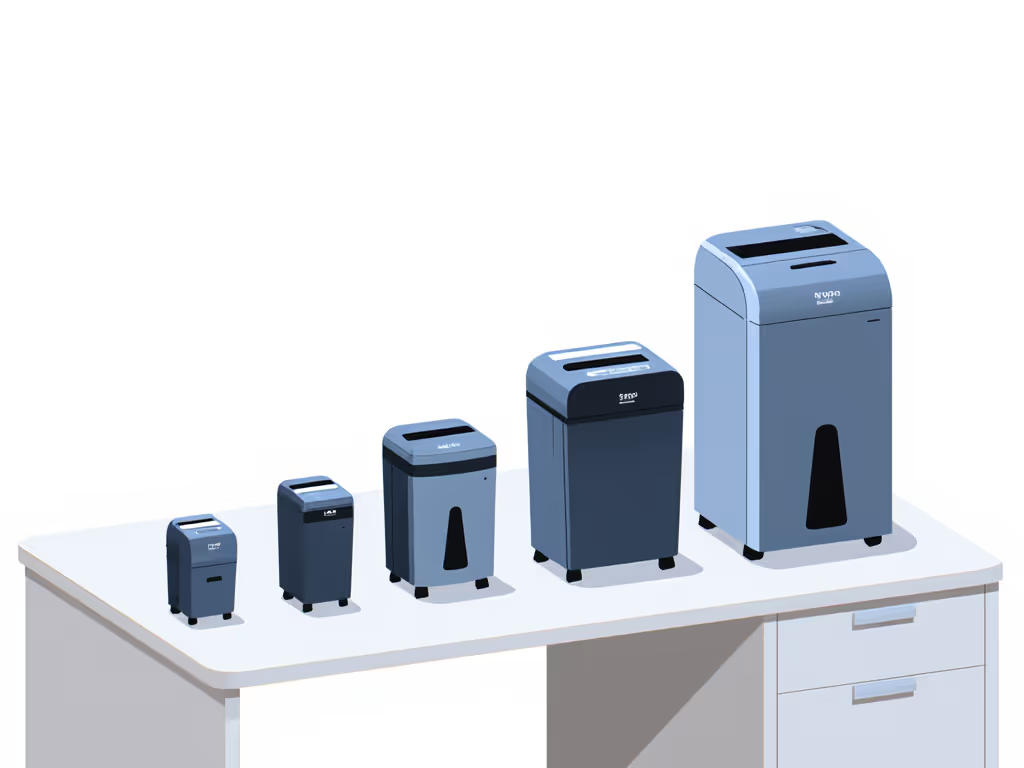
5.1 The Quiet P-4 Under-Desk Shredder (Most Writers)
Who it's for:
- Freelance writers, authors, bloggers
- Consultants with modest client paperwork
- Households wanting solid protection for everyday documents
Core spec profile:
- DIN P-4 micro-cut
- 8-10 sheet capacity (realistic 6-7)
- 5-10 minutes run time, ~20-30 minutes cool-down
- Noise around 60 dB at modest loads
- 4-5 gallon pull-out bin
Pros:
- Strong enough for financial statements and routine client docs
- Compact footprint that tucks under most desks
- Quiet enough to use during the day without bothering others
Cons:
- Not ideal if you regularly shred thick packets or entire filing boxes
- May require a cool-down if you let piles build up for months
Best use pattern:
- Weekly 10-15 minute shredding routine
- All Category A and B papers, plus some lighter Category C
If you're a typical home-office writer, this archetype is your baseline. Anything lower (P-3, tiny bin, 2-minute run time) will feel like a compromise sooner than you think.
5.2 The High-Security P-5 Source-Safe Shredder (Journalists & Sensitive Work)
Who it's for:
- Investigative journalists
- Writers working with whistleblowers or vulnerable communities
- Professionals handling small volumes of extremely sensitive data
Core spec profile:
- DIN P-5 high-security micro-cut
- 8+ sheet capacity (realistic 5-6)
- 10+ minutes run time preferred, but many P-5 units run shorter
- Noise around 60-65 dB (high-security cuts can be slightly louder)
- >5 gallon bin to avoid constant emptying
Pros:
- Very small particles; highly resistant to reconstruction
- The right choice for journalist document destruction where source safety is paramount
Cons:
- Usually more expensive than P-4
- Slightly slower; you can't power-feed stacks without jams
- Can be louder than lower-security micro-cut models
Best use pattern:
- Treat as your Category D machine for source-identifiable notes and printouts
- For routine admin, you can still use it, but consider having a second, cheaper P-4 if your volume is high
Chain-of-custody reminder: for high-risk journalism material, don't just shred and forget. Bag the output, keep it separate from ordinary trash, and time its disposal so bags go directly to collection (not sitting accessible in a shared bin overnight).
5.3 The Shared Small-Office Workhorse (Teams of 3-10)
Who it's for:
- Small law, accounting, or creative agencies
- Clinics or practices where some staff work from home
- Shared writing spaces and co-working setups
Core spec profile:
- DIN P-4 micro-cut (non-negotiable here)
- 15-20 sheet capacity (realistic 10-14)
- 20+ minutes run time and heavier-duty motor
- 6-8+ gallon bin
- Noise level 60-65 dB (accept slightly higher in exchange for throughput)
Pros:
- Handles multiple users' weekly shredding without constant cool-downs
- Bigger bin reduces mess and trips to the recycling room
- Good fit for light compliance obligations
Cons:
- Larger footprint; usually a floor-standing unit
- Not the quietest; better in a hallway or copy nook than right by a desk
Best use pattern:
- Centralized shred station with a simple written policy
- Staff bring their Category B and C papers to this shredder on a schedule
Home vs. office pointer: If you handle regulated data, set a rule that final destruction happens on office equipment, not at home, unless your home setup is explicitly covered by your firm's policies.
5.4 The Occasional-Use P-3 Cross-Cut (Low-Risk, Tight Budgets)
Who it's for:
- Households with minimal sensitivity concerns
- Writers who almost never print and mostly handle already-published material
Core spec profile:
- DIN P-3 cross-cut
- 6-8 sheet capacity
- 3-5 minutes run time
- Small 3-4 gallon bin
Pros:
- Cheap and compact
- Better than tossing whole documents into the recycling
Cons:
- Marginal for bank statements and anything with personal identifiers
- Easy to outgrow if your work changes or you start handling client data
If you do go this route, I recommend pairing it with locked filing plus periodic office or third-party shredding for anything more sensitive than everyday drafts.
6. Personal Shredder vs. Shredding Service: Which Makes Sense?
People often ask if they should just use a local shredding service. Here's how I frame it.
When a Personal Shredder Wins
- You shred weekly or more often.
- You generate a few hundred sheets per month.
- You want immediate destruction - no files waiting in a box for pickup.
- You need day-to-day control over confidential note security.
In these cases, a P-4 home or small-office shredder is usually cheaper and less hassle over a few years than regular drop-offs.
When a Service Might Be Better
- You handle boxes of old files in occasional purges, not steady daily shredding.
- You're in a regulated setting where policy explicitly requires a certified vendor.
- Your apartment can't handle the noise or footprint of any decent shredder.
A hybrid model works well: personal shredder for day-to-day, service for rare archives.
7. Low-Drama Maintenance and Simple Routines
Good document destruction should feel boring and predictable. A few habits make that happen.
7.1 Minimal Maintenance
- Oil or lubrication sheets about every 30-60 minutes of run time, or once a month for light home use.
- Empty the bin when it's 3/4 full to prevent jams.
- Keep the feed slot free of paper dust with an occasional vacuum pass.
Check the manual; many manufacturers specify an interval. Treat it as a gentle reminder, not a strict law. For step-by-step upkeep and jam prevention, use our shredder maintenance guide.
7.2 Chain-of-Custody Lite for Home Offices
Even at home, you can adopt simple chain-of-custody reminders:
- Have a designated "to-shred" tray separate from regular recycling.
- Shred on a fixed weekly schedule so sensitive pages don't linger.
- Bag shred output if you share trash facilities, and take it down yourself rather than leaving it in a hallway.
These small steps are the difference between "we meant well" and "we can clearly show what we do with sensitive paper."
8. Summary and Final Verdict: Choosing Your Quiet Shredder
Let's bring it all together.
1. Decide your real risk.
- Everyday drafts and household docs: P-3 or, preferably, P-4.
- Client data and personal identifiers: P-4.
- Sensitive professional or regulated info: strong P-4, maybe P-5.
- High-risk journalism and sources: P-5 for anything source-identifiable.
2. Pick the archetype that matches your life:
- Quiet P-4 under-desk shredder - Best for most writers and home offices. Quiet, compact, and strong enough for personal and client paperwork.
- High-security P-5 source-safe shredder - For journalists and anyone whose paper trail could endanger people. Worth the cost when the stakes are high.
- Shared P-4 office workhorse - For small teams who need solid, consistent destruction without babying the machine.
- Occasional-use P-3 cross-cut - Only for low-risk situations and tight budgets; easy to outgrow.
3. Sanity-check the specs:
- DIN level spelled out (P-4 or P-5, not just "micro-cut").
- Realistic sheet capacity (marketing minus 25-30%).
- Run time long enough for your typical shredding sessions.
- A bin big enough to avoid constant emptying and confetti on the floor.
- Auto-reverse, overload protection, and basic safety features.
4. Make it boring on purpose. Set a weekly shred time, keep a simple risk category mapping in writing, and use your shredder the same way every time. In my experience, that's what auditors, editors, and clients (and your future self) actually want: proof that your approach to paper is security without theater.
If you remember only one line as you shop, let it be this:
Match the document risk to the shred, not the hype.
Once you do that, choosing the right quiet shredder for your home office becomes a straightforward decision instead of a late-night research rabbit hole.
Related Articles