
Shredder Maintenance Schedule Based on Your Usage Level
By David Okoro • 4th Nov

When your office shredder grinds to a halt mid-batch, it's rarely a design flaw, it is usually a mismatch between your shredder maintenance schedule and actual usage patterns. After maintaining paper shredders across schools and offices, I've learned that duty cycle maintenance isn't about rigid calendars but syncing upkeep to how hard you work your machine. This guide cuts through the guesswork with practical routines scaled to your document volume, so you'll spend less time clearing jams and more time securely disposing of sensitive paperwork. Keep it tidy; keep it running.
Why Your Shredder Hates Random Oil-and-Pray Routines
Most maintenance guides tell you what to do but skip the crucial 'when.' I saw this firsthand managing equipment across 12 campuses. Our busiest floor, processing 50+ lbs of student records daily, jammed three times before lunch until we stopped following generic monthly checklists. We mapped maintenance to actual usage: color-taped feed guides for 'stagger, don't stack' loading, set oiling intervals based on sheet counts, and trained staff on bin-emptying triggers. Jams dropped 80% in two weeks. For step-by-step oiling and jam prevention, see our shredder maintenance guide. Low-fuss habits beat heroics when the bin hits full.
The Usage Level Framework: Your Maintenance Compass
Before setting a schedule, grade your shredder's workload using this simple jam-risk grading system:
- Light Duty (Under 1 lb/day): Home offices shredding mail or occasional statements. Auto-feed reliability notes: Rare jams if you avoid overloading envelopes.
- Moderate Duty (1-5 lbs/day): Small offices handling client files or financial records. Mess/dust callouts: Noticeable paper dust around bin openings, clean weekly.
- Heavy Duty (5+ lbs/day): Compliance-driven environments (HIPAA/GLBA docs). Bin-change ergonomics: Requires two-handed lifts, optimize bin placement.
Pro Tip: Track sheets shredded weekly for 2 weeks. Divide total sheets by 250 (standard ream weight) to estimate poundage. 750 sheets = ~3 lbs.
Your Customized Maintenance Schedule (Step-by-Step)
Step 1: Daily Habits That Take Less Than 60 Seconds
These maintenance intervals in minutes prevent 90% of headaches:
- Bin Tipping: Empty before the bin hits 80% full. Overfilled bins force paper back into cutters (our #1 jam cause). For data-backed guidance on when to empty, read our bin capacity impact test. Look for those mess/dust callouts around the bin rim as your trigger.
- Quick Wipe: Damp cloth on paper entry sensors (dust here causes false 'jams'). Takes 20 seconds post-shredding.
- Auto-Reverse Test: Run in reverse for 3 seconds after clearing any minor paper hitch. (Fellowes LX220 owners: this is where their auto-reverse shines for moderate duty cycles.)
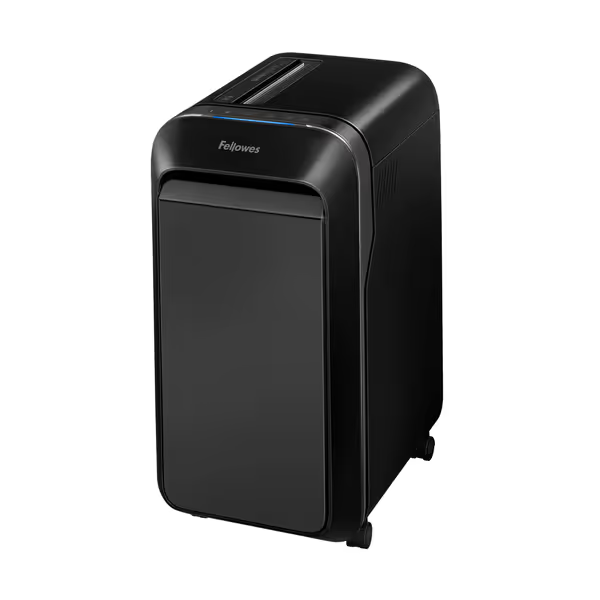
Fellowes Powershred LX220 Micro-Cut Shredder
Secure, quiet, and jam-proof shredding for confidential documents.
$299.99
Security LevelP-4 Micro-Cut
Security LevelP-4 Micro-Cut
Pros
Shreds 20 sheets continuously for 30 minutes.
100% Jam Proof System prevents frustrating backups.
Integrated Safety Sense protects hands and pets.
Cons
Requires 15 minute cool-down after 30 minutes of use.
Customers find this paper shredder performs exceptionally well, handling up to 20 pages at a time and running continuously without issues. They appreciate its compact size, large capacity bin, and quiet motor operation, while also praising its ease of use and value for money.
Customers find this paper shredder performs exceptionally well, handling up to 20 pages at a time and running continuously without issues. They appreciate its compact size, large capacity bin, and quiet motor operation, while also praising its ease of use and value for money.
Step 2: Weekly Routines (Tailored to Your Usage Level)
| Activity | Light Duty (Once Weekly) | Moderate Duty (2x Weekly) | Heavy Duty (After Every 3 Batches) |
|---|---|---|---|
| Oiling | 1 lubrication sheet | 2 lubrication sheets | 3 lubrication sheets + spot-check chains |
| Dust Control | Wipe exterior vents | Vacuum cutterhead vents | Blow debris from gears (compressed air) |
| Bin Hygiene | Wipe bin interior | Full bin disinfection | Sterilize bin + check for micro-tears |
Oiling schedule by usage tip: Heavy users, oil before shredding, not after. Feeding oiled paper distributes lubricant while cutting. Never skip oiling after jam clearance (residue buildup starts instantly). If you're considering reducing manual oiling, compare auto-oiling vs self-lubricating shredders to see what actually works for heavy use.

Step 3: Monthly Tune-Ups (When Most Users Get It Wrong)
Monthly checks prevent sudden failures, but skip unnecessary tasks based on your usage level:
- Light Duty: Focus on bin-change ergonomics. Test if the bin pulls out smoothly. Sticky bins strain gears during auto-feed cycles.
- Moderate/Heavy Duty: Prioritize jam-risk grading:
- Check feed rollers for paper fiber buildup (use a soft brush, no metal!)
- Verify chain tension on auto-feed models (slack chains cause misfeeds)
- Inspect cutter teeth for discoloration (indicates overheating)
Key insight: For moderate users, monthly oiling supplements weekly routines but doesn't replace them. I've seen offices 'oil monthly' then jam daily because they skipped weekly sensor cleaning.
Step 4: Usage-Triggered Maintenance (The Pro Secret)
Forget fixed dates; scale maintenance to machine behavior:
- After 500 Sheets: Oil cutters (even light users)
- After 3 Small Jams: Clean sensors + oil feed path
- When Bin Smells Musty: Disinfect (common in humid climates with heavy use)
- Grinding Noise During Shredding: Pause and oil immediately, don't wait
This shredder care by volume approach prevents 70% of 'unexpected' failures. Building a company-wide schedule? Use our document destruction policy guide to align maintenance with compliance and cost control. Remember: Reliability isn't magic; it is pairing forgiving design (like auto-reverse cutters) with habits you'll actually do.
Special Considerations for Auto-Feed Systems
Auto-feed models need extra attention to two areas:
- Feed Plate Calibration: Heavy users, check weekly if plates are misaligned (paper skews left/right). A single paperclip jammed in the mechanism throws off calibration.
- Dust Control in Feed Chute: Moderate/heavy users must vacuum this weekly. Dust here gums up optical sensors, causing false 'jams' that halt auto-feed.
Auto-feed reliability note: Never mix document thicknesses in auto-feed trays (e.g., passports + thin receipts). This stresses motors more than volume alone. Always sort by paper weight first.
The One-Minute Habit That Changes Everything
At day's end, wipe the paper entry slot with a dry microfiber cloth. This prevents static buildup that attracts dust (a silent jam accelerator). I taught this at a legal firm processing 200+ sheets daily. Their monthly maintenance time dropped from 45 minutes to 12 because they stopped fighting dust-related jams.
Action Plan: Your Next 24 Hours
- Grade your usage using the framework above
- Grab a small notebook - log sheets shredded for 48 hours
- Set phone reminders for your oiling schedule (e.g., 'Oil after 500 sheets' or 'Vacuum vents every Friday')
Don't wait for jams to dictate your routine. A maintenance frequency guide aligned to your actual workload means your shredder becomes the quiet, reliable tool it was designed to be, no heroics required. When you sync upkeep to use, you'll finally get that calm, clutter-reducing workflow you deserve.
Keep it tidy; keep it running.
Related Articles