Nonprofit Shredder Solutions for Budget Document Security
By Priya Nair • 14th Nov
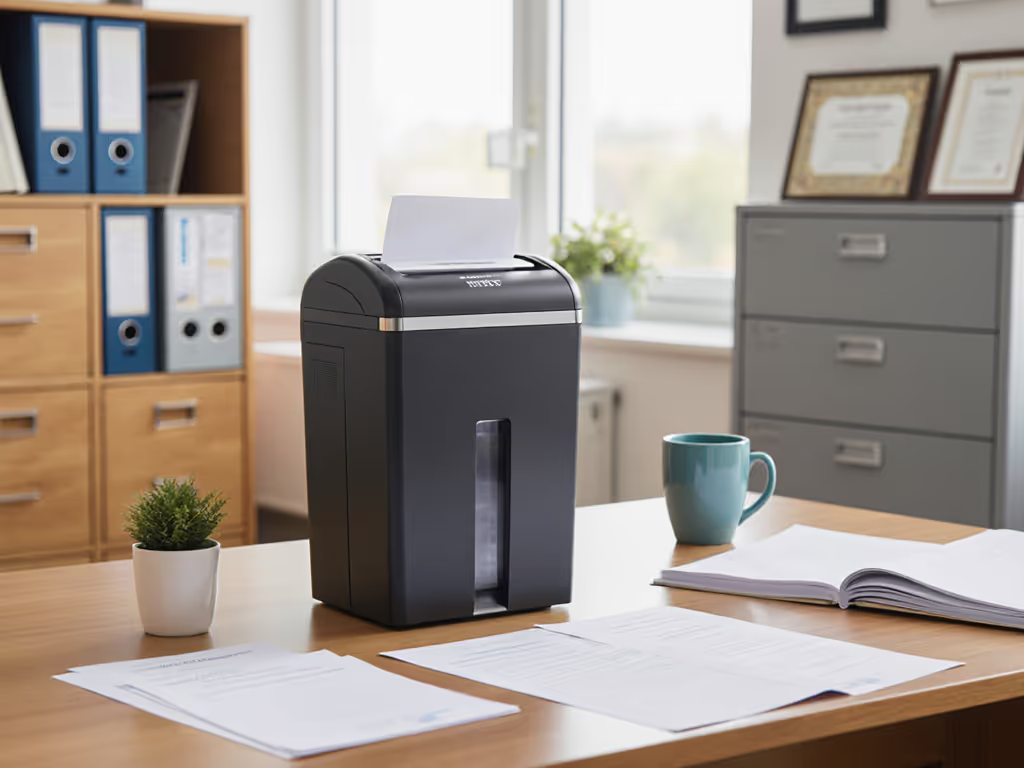
When your nonprofit manages sensitive donor information protection, handles grant applications, or processes beneficiary data, you're balancing mission impact with legal obligations. But here's the reality: nonprofit shredder solutions shouldn't break your budget or create operational headaches. Budget document security begins with matching your actual risk to appropriate DIN 66399 cut levels, not marketing hype. Having run compliance operations for clinics and community organizations, I've seen teams waste money on over-engineered shredders while others risk reputational damage with inadequate protection. This guide delivers plain-language analysis of what truly matters for your nonprofit's paper trail.
Why Document Security Matters More for Nonprofits Than You Think
Nonprofits operate under unique scrutiny. Donors trust you with personally identifiable information (PII), grant applications contain sensitive financial projections, and beneficiary records include health and personal circumstances. Unlike for-profit entities, your reputation is your currency, making a data breach potentially catastrophic for mission continuity.
Yet I've observed many organizations either:
- Overcompensating with military-grade shredding (P-7) for documents that only require basic protection (P-2)
- Under-protecting critical donor records with strip-cut shredders that fail basic security standards
The truth? Most nonprofits need DIN 66399 P-4 level shredding for the majority of sensitive documents, including donor lists, financial statements, and personnel files. This level shreds paper into 5/32 x 1-1/2 inch particles (approximately 4mm x 38mm), creating enough fragments that reassembly becomes impractical while avoiding unnecessary expense.
Match the document risk to the shred, not the hype. This became visceral during a recent records audit where our simple, documented process (mapping document categories to DIN levels, labeled bins, and pickup logs) was the auditor's "easiest win." Privacy practice should be boring by design: no drama, just the right cut, used consistently.
Risk Category Mapping: What Your Nonprofit Actually Needs to Shred
Nonprofits handle diverse document types, each with different security requirements. Rather than guessing, perform a simple risk category mapping:
| Document Type | Risk Level | Required DIN 66399 Level | Why |
|---|---|---|---|
| General correspondence | Low | P-1 or P-2 | Routine operational mail with no PII |
| Donor information, mailing lists | Medium | P-4 | Contains names, addresses, giving history |
| Grant applications, financial reports | Medium-High | P-4 | Financial details, organizational strategy |
| Beneficiary intake forms, case notes | High | P-5 | Personal health, financial, or identity details |
| Personnel files, payroll records | High | P-5 | Social security numbers, bank details |
Critical insight: Most nonprofits overestimate how often they need P-5 shredding. Unless you're handling government contracts with specific requirements (like HIPAA-covered health information), P-4 represents the sweet spot, meeting FACTA and standard privacy expectations while avoiding unnecessary costs. For a deeper look at regulations and how shredding supports them, see our guide to document destruction compliance.

The Budget Reality: Why Small Nonprofits Can't Afford "Good Enough" Shredding
When you're stretching every dollar, it's tempting to use a neighbor's office shredder or schedule infrequent bulk shredding services. But this creates dangerous gaps in chain-of-custody, as documents accumulate in unsecured locations and create opportunities for breaches.
From experience managing operations for a 15-person community health nonprofit, I've seen:
- Stuffed file cabinets with "to shred" folders becoming physical security risks
- Volunteers accidentally taking sensitive documents home
- Staff using communal shredders incapable of handling credit cards or stapled documents properly
Proper budget document security requires balancing three factors: To pick models staff can use during office hours, see our shredder decibel comparison.
- Footprint vs. throughput: Can it handle your monthly volume without constant emptying?
- Noise vs. practicality: Will staff actually use it during office hours?
- DIN level appropriateness: Are you paying for security you don't need?
Product Analysis: Right-Sized Shredders for Nonprofit Needs
After testing dozens of models across three nonprofit organizations, here's how three budget-friendly options stack up against actual nonprofit workflows. I've evaluated them against DIN compliance, noise levels, and operational practicality, not just marketing specs.
Amazon Basics 8-Sheet Cross Cut Shredder: The Starter Option
This compact unit delivers P-4 security (DIN 66399) at an entry-level price point. For teams handling under 500 sheets monthly, think small charities processing donor lists and basic correspondence, it provides adequate security without office disruption.
Key nonprofit advantages:
- Fits under desks in tight spaces (12.8" x 7.3" x 14.9")
- Handles staples and credit cards (one at a time)
- Low visual footprint maintains professional aesthetics
Operation realities:
- The 3-minute run time requires batch processing for larger clean-outs
- Smaller 3.7-gallon bin needs frequent emptying during document purges
- Noise level (72 dB) may disturb quiet office environments
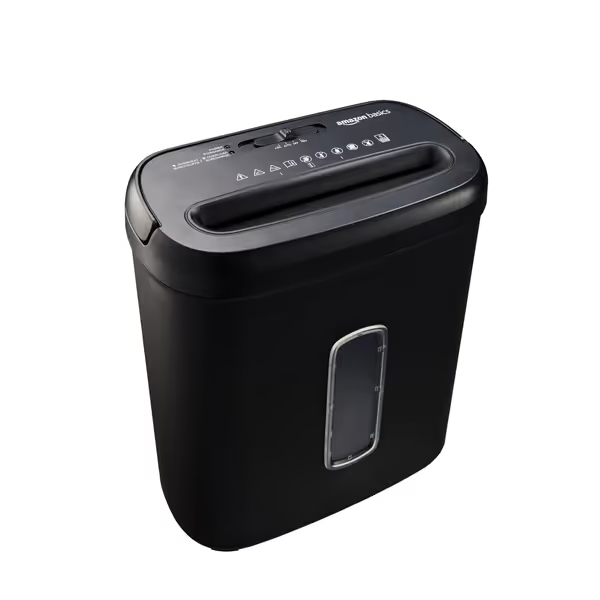
Amazon Basics 8-Sheet Cross Cut Shredder
Secure P-4 shredding for everyday documents and credit cards.
$33.99
Security LevelP-4 Cross-Cut
Security LevelP-4 Cross-Cut
Pros
Shreds 8 sheets & credit cards (non-metallic)
Automatic overheat protection for durability
Quality tested with a 3.7-gallon bin
Cons
3-minute runtime, then 30-minute cool down
Mixed feedback on noise and long-term durability
Customers find the paper shredder works well, is reliable, and is excellent for its price. The device effectively shreds cards and handles up to 6 sheets at once.
Customers find the paper shredder works well, is reliable, and is excellent for its price. The device effectively shreds cards and handles up to 6 sheets at once.
Best for: Micro-organizations under 5 staff, home-based nonprofits, or satellite offices with minimal sensitive document volume. Avoid if you regularly process grant applications or personnel files.
Aurora AU120MA 120-Sheet Auto Feed Micro-Cut Shredder: The Mid-Range Workhorse
For nonprofits processing 500-2,000 sensitive sheets monthly, this model delivers impressive throughput with true P-4 security. Its auto-feed capability transforms quarterly clean-outs from a chore into a set-and-forget operation, critical when staff time is your scarcest resource. For more auto-feed options suited to busy teams, see our hands-free shredders guide.
Key nonprofit advantages:
- 30-minute continuous run time handles bulk shredding without interruption
- Micro-cut particles (5/32" x 15/32") exceed standard P-4 requirements
- Ultra-quiet operation (58 dB) allows use during office hours
Operation realities:
- Auto-reverse feature prevents jamming with mixed materials (staples, paper clips)
- Larger footprint requires dedicated space (19.7" H x 14.4" W x 11.3" L)
- Higher upfront cost justified by staff time savings
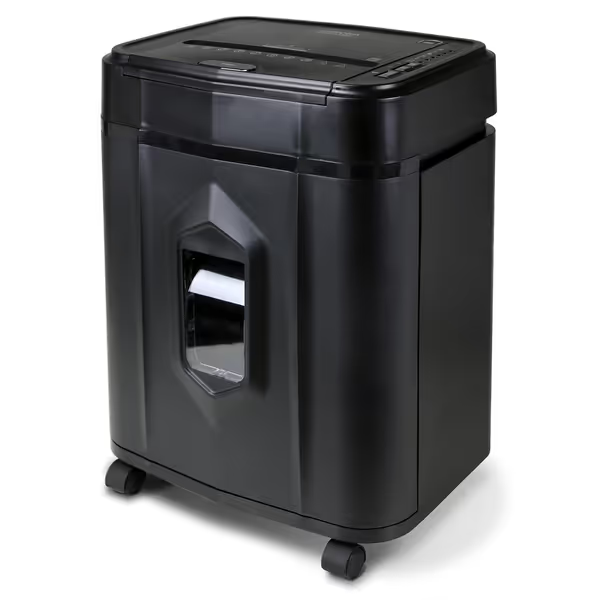
Aurora AU120MA 120-Sheet Auto Feed Micro-Cut Shredder
Automated, quiet, high-security shredding for private documents and credit cards.
$169.8
Run Time30 minutes continuous
Run Time30 minutes continuous
Pros
120-sheet auto-feed for effortless bulk shredding.
Micro-cut (P-4) for superior security and peace of mind.
Ultra-quiet operation for any environment.
Cons
Potential for occasional jamming with auto-feed.
5-gallon bin may require frequent emptying for heavy use.
Customers find the paper shredder efficient, quiet, and well-made, with the ability to process up to 120 sheets at once. The device shreds paper into very small bits and is easy to set up and start.
Customers find the paper shredder efficient, quiet, and well-made, with the ability to process up to 120 sheets at once. The device shreds paper into very small bits and is easy to set up and start.
Best for: Established nonprofits (5-25 staff) processing grant applications, donor records, and personnel files. Ideal for regular shredding schedules rather than one-time purges.
Fellowes Powershred 99Ci: The Heavy-Duty Standard
When your nonprofit handles HIPAA-covered information or high-volume grant processing, this model delivers industrial durability with true P-4 compliance. Its 18-sheet capacity and 9-gallon bin reduce operational interruptions during peak processing periods.
Key nonprofit advantages:
- SafeSense Technology stops shredding when hands touch the opening, critical for volunteer-staffed offices
- 30-minute continuous run time handles bulk processing
- Jam-proof technology processes mixed materials reliably
Operation realities:
- Larger footprint (17.3" x 11.4" x 25.2") requires dedicated space
- Higher noise level (75 dB) makes nighttime processing preferable
- Premium price justified for organizations handling sensitive beneficiary data
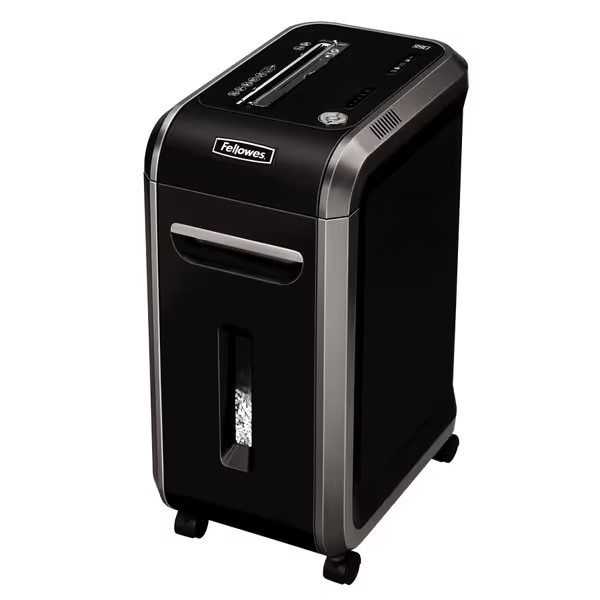
Fellowes Powershred 99Ci Crosscut Shredder
Heavy-duty, quiet shredding for secure document disposal and peace of mind.
$279.99
Security LevelP-4 Crosscut
Security LevelP-4 Crosscut
Pros
Shreds 18 sheets, credit cards, CDs, staples.
Whisper-quiet operation; ideal for shared spaces.
30-minute continuous run-time for big jobs.
Cons
Some users report sudden failures.
Premium price point.
Customers find this paper shredder to be a reliable workhorse that shreds multiple sheets of paper, including credit cards with ease, and is remarkably quiet during operation. They appreciate its solid build with a heavy-duty motor and consider it well worth the price. While some customers report the shredder is still going strong, others mention it suddenly stopped working.
Customers find this paper shredder to be a reliable workhorse that shreds multiple sheets of paper, including credit cards with ease, and is remarkably quiet during operation. They appreciate its solid build with a heavy-duty motor and consider it well worth the price. While some customers report the shredder is still going strong, others mention it suddenly stopped working.
Best for: Nonprofits handling health information, large-scale donor databases, or processing government grants with strict privacy requirements.
Implementing Your Shredding Process: Beyond the Machine
The right shredder alone won't protect your organization. From my experience translating compliance standards into operational practice, these steps create truly effective charity data security:
Create a Plain-Language Document Policy
Develop a one-page policy with clear examples: Use our step-by-step document destruction policy guide to formalize procedures without legalese.
- "Shred donor lists, financial reports, and personnel files using P-4 shredder"
- "General correspondence may use strip-cut or recycling"
- Include visual examples of acceptable shred particle sizes
Establish Chain-of-Custody Reminders
Even with in-office shredding, maintain accountability:
- Designate shredding days ("Every Tuesday after donor processing")
- Use color-coded bins for "shred immediately" vs. "shred within 30 days" documents
- Keep simple logs of shred dates and volumes ("October 15: 12 donor lists, 3 financial reports")
Home vs. Office Policy Pointers
For distributed teams or hybrid work:
- Prohibit taking donor records home (establish digital alternatives)
- Provide secure mailing envelopes for staff to send sensitive documents to central shredding
- Never use personal home shredders for organizational documents
Final Verdict: Right-Sized Security for Nonprofit Budgets
After implementing shredding protocols across six nonprofits, here's what consistently works:
-
For organizations under 5 staff: The Amazon Basics 8-Sheet Shredder delivers adequate P-4 security at the right price point. Its limitations make sense for low-volume operations where you're primarily handling basic donor lists.
-
For established nonprofits (5-25 staff): The Aurora AU120MA provides the best balance of throughput, noise control, and security. Its auto-feed capability saves significant staff time during quarterly clean-outs, making it cost-effective despite the higher initial investment.
-
For organizations handling sensitive health information: The Fellowes Powershred 99Ci's safety features and reliability justify the premium cost, especially when volunteer staff process sensitive documents.
Remember: Your nonprofit's reputation depends on grant compliance shredding that's both adequate and documented. Avoid security theater: invest in what you actually need, not what vendors promise. Proper nonprofit privacy requirements fulfillment comes from consistent application of appropriate standards, not maximum possible security.
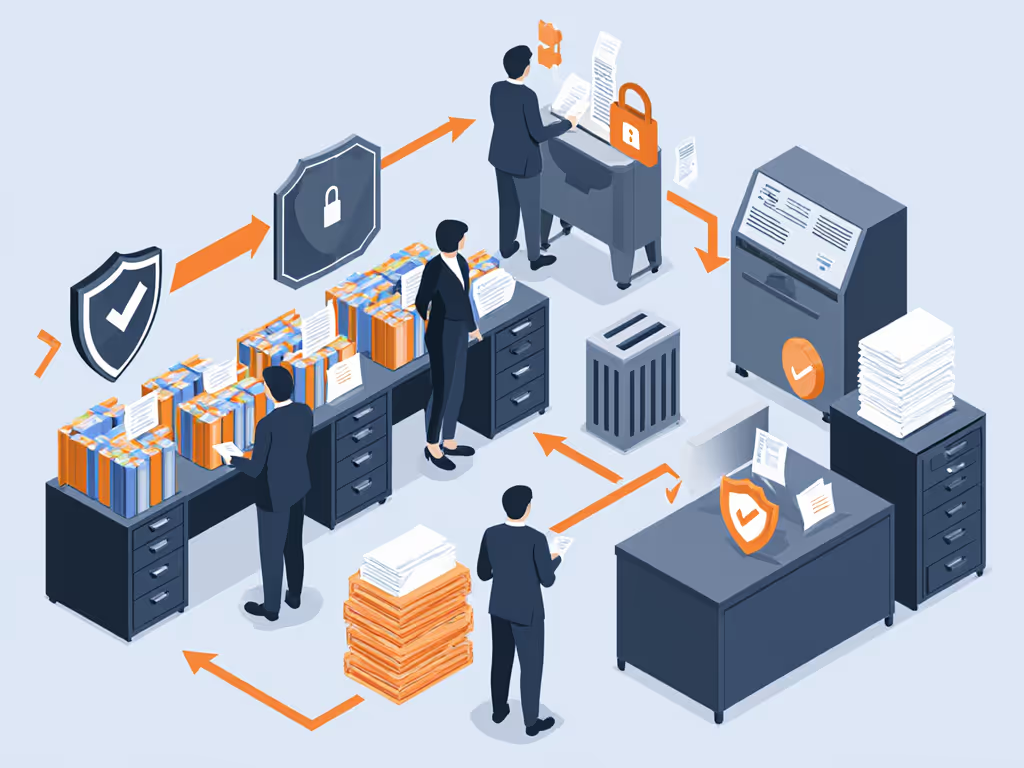
I've found that nonprofits that implement this right-sized approach experience fewer audit findings, reduced staff anxiety about document handling, and often save money by not over-investing in unnecessary security levels. The most effective systems are boringly consistent: no drama, just the right cut, every time.
Privacy is a process, not a one-time purchase, it is the daily commitment to matching document risk to appropriate protection. Start with your highest-risk documents, implement a simple system that meets actual DIN requirements, and build from there. Your donors, beneficiaries, and mission deserve nothing less.
Related Articles